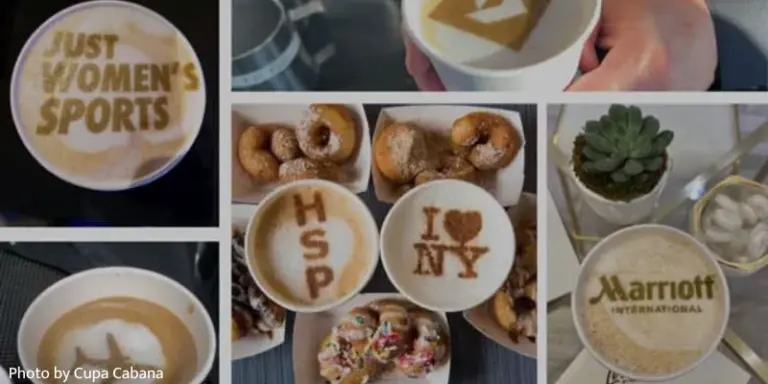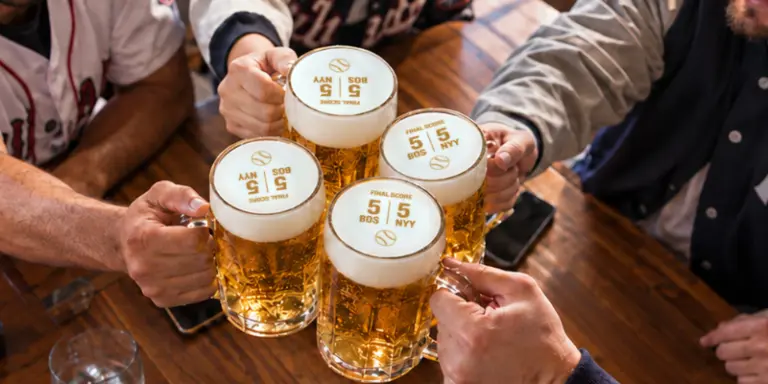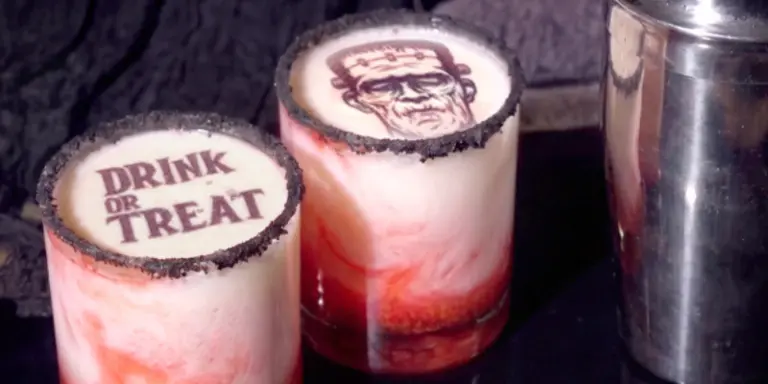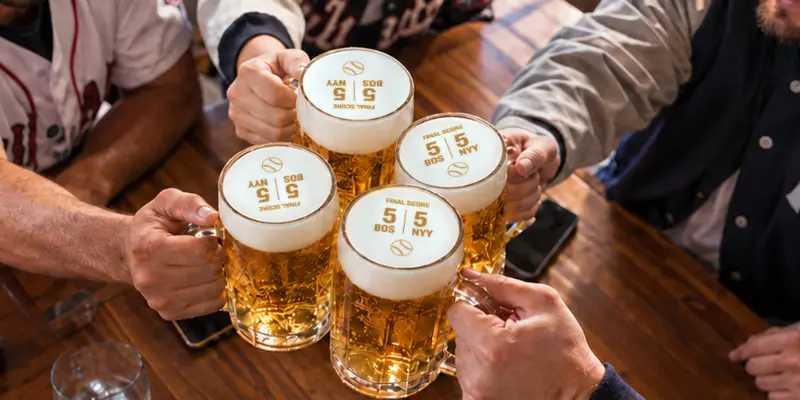
During a big game, guests tend to order around the action: before kick-off, at half-time, after a goal, and when the final score comes in. Ripples’ Live Scores lets your team add those moments directly to drinks using ready-to-print designs that update as the score changes. The feature is included with the Ripples’ Advanced Design Plan, and the Ripple Maker must be connected to the internet to receive updates. Here are some practical ways to use it before, during, and after the game.
Before the game:
Start by letting people know that you are showing the game. Rather than posting only the teams, date, and time, include a photo or video of a score being printed on a drink. It gives guests a better idea of what watching at your venue will be like.
For example, instead of posting “We’re showing the game Saturday at 7 PM,” try something like: “Watch the game with us and get the latest score printed on your drink.”
Live Scores can also help promote group bookings. Invite guests to predict the final score, guess who will score first, or choose the winning team. You do not need to turn it into a complicated competition. Even a small challenge gives the group something to talk about and gives staff an easy way to join the conversation.
Before service begins, check that your venue has the Advanced Design Plan and that the Ripple Maker is connected to the internet. Open the Live Scores channel for the relevant sport and show the team where the updated designs will appear. It also helps to agree on which moments you plan to print. This could be every goal, the half-time score, and the final result, rather than every update.
The designs are provided by Ripples, so staff do not have to create new artwork during the game. They only need to select the latest design and print it as they would any other design.
During the game:
Introduce Live Scores with the first round so guests know what to expect. Staff can mention that scores will be available on drinks throughout the game and ask the table for a prediction. Later, when the score changes, they have a natural reason to return to that conversation.
Do not feel that every update needs to be printed. Focus on the moments people react to. Depending on the sport, that might be a goal, touchdown, lead change, quarter break, overtime, or final score.
These moments can also help staff suggest the next order without falling back on a generic sales question. They might ask, “Still confident about your prediction?” or “Would you like the new score on the next round?” At half-time or during a break, they can offer another round or suggest food for the table before play resumes.
Make sure guests beyond the first few tables know the option is available. A small note on the menu or a table sign saying “Ask for the live score on your next drink” may be enough to get people interested.
If guests take photos of their drinks, encourage them to tag the venue. A score printed just after a big moment makes timely social content, both for the guest and for your own channels. Always ask before reposting a guest’s photo.
When the game ends, print the final score and return to any predictions made earlier. It can lead to one last round, a winning photo, or a conversation about the next fixture.
After the game:
Before guests leave, let them know when you are showing the next game. Add it to your screens, table cards, social posts, or reservation page. If a group enjoyed the evening, this is also a good time to invite them to book the same table again.
Save the best photos and videos from the event and use them to promote the next one. Real images of guests watching the game with printed drinks give people a much clearer reason to visit than a general sports graphic.
Take note of what worked. Perhaps guests responded well to score predictions, or the half-time prints prompted more orders. Keep the ideas that suited your venue and drop the ones that felt forced. The aim is to create a game-day routine that is easy for staff to manage and enjoyable for guests.
How to add Live Scores to your Ripple Maker
Live Scores is included with the Ripples’ Advanced Design Plan. Once your plan is active:
- Open the DrinkRipples app.
- Select Design → + → Add Channel → Shared Channel.
- Choose the Live Scores channel for the relevant sport.
- Select the latest design as updates appear.
- Print it directly onto the guest’s drink.
The Ripple Maker must remain connected to the internet while the game is in progress. Live Scores supports selected competitions across football, rugby, American football, basketball and baseball.
Your Game-Day Live Scores Checklist:
Before the Game:
☐ Promote in advance the game-day experience, while showing the Live Score experience in your social posts, Stories, and promotions.
☐ Encourage group reservations with predictions, challenges, or game-night activities
☐ Set up Live Scores before service: confirm your Advanced Design Plan and internet connection, open the relevant sport channel, and show staff where the updated designs appear.
☐ Decide which key game moments you want to highlight
During the Game:
☐ Introduce Live Scores with the first round
☐ Start a simple prediction or table challenge
☐ Make Live Scores visible to other tables
☐ Use goals, touchdowns, lead changes, and other big moments to check in with guests
☐ Use half-time, quarter breaks, and other pauses to suggest another round or food for the table
☐ Encourage guests to photograph their Live Score drinks and tag your venue
☐ Use the final score for one last round, prediction result, or celebration
After the Game:
☐ Promote the next game before guests leave
☐ Repost guest Stories and game-day content
☐ Share your strongest photos and videos to market the next game service
☐ Encourage guests to reserve again for the next game
☐ Repeat the activities and service moments that worked best
☐ Build a consistent game-day routine guests can come back to